Free Split-Button (dropdown button) control for .NET
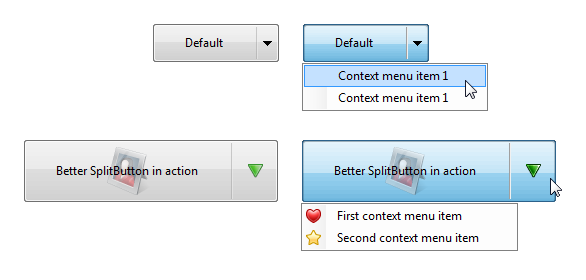
Free for non-commercial use splitbutton control for .NET Windows Forms (C#, VB.net) with native look and feel and flexible features.
What is it?
- Split-button (Dropdown button) control for .NET Windows Forms
- Free for non-commercial use, cheap license for commercial use with included source code.
Features
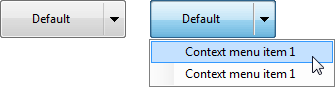
- Supports ContextMenuStrip
- Adjustable size of the split part
- Adjustable size of the native-style glyph (down arrow)
- Separate glyph image can be assigned for every button state
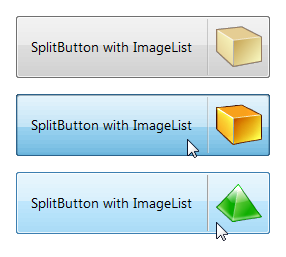
- Supports images and ImageList of any size
- Can work like a button or like a drop-down context menu only
- Can be set to always dropdown
- Excellent documentation with source code samples and screenshots
Superb compatibility
- Compatible with: Visual Studio 2012, 2010, 2008, 2005 (and newer),
- For C#, Visual Basic .NET (VB.NET), managed C++, and other CLI languages.
- Compatible with .NET 4.5, .NET 4, .NET 3.5, .NET 3, .NET 2, and newer. Supports .NET Client Profile.
- Runs on Windows 8, 7, Vista, 2003, XP, 2000, and newer, both 32-bit and 64-bit.
- The assembly is FIPS-compliant, CLS-compliant, digitally signed and strongly named.
High quality and easy to use
- Written in pure managed C# code.
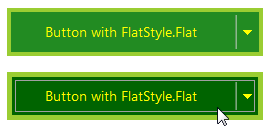
- Full support of modern native Windows themes.
- Single tiny DLL file, no dependencies.
- XCopy Deployment
- Includes samples, both in VB.net and C#, as well as compiled samples explorer.
- Very easy to use and simple to learn.
About Better SplitButton
Better SplitButton is a free button-like control for .NET WinForms that you can start using immediately. It's similar to the regular button, but it includes a "split" part, which can display a dropdown menu once clicked. You can also set the button to be AlwaysDropDown, in such case, there is no separate split part (but the glyph arrow is still displayed), and clicking anywhere on the button will display the dropdown.
The dropdown menu is defined using the native .NET ContextMenuStrip component.
The installation package includes sample projects in both VB.net and C# to get you started immediately. It also includes Samples Explorer with some pre-built samples, so you can quickly what it can do.
Better SplitButton is free for non-commercial use. Commercial use requires a license that we offer for a very affordable price. We supply source code with all commercial licenses.
You can use the Quick Start guid and documentation which will help you get up and running in 5 minutes.
How can SplitButtons improve your GUI
SplitButton is an invaluable control if you want to keep your GUI simple and intuitive. It is perfect for "hiding" non-standard or expert options that would complicate your GUI unnecessarily. It occupies the same real estate as a regular button, but can provide your users with far more options.
Seamless integration with .NET 2.0 and higher